In this activity you’ll get started using TunePad by creating a short Chicago House style beat.
You'll also practice using the playNote and rest functions in Python.
Materials
- Chromebook, iPad, laptop, or desktop computer
- Headphones (recommended)
Step 1: Sign In to TunePad
- Go to tunepad.com
- Click on Sign In
- Click on Sign in with Google
- Enter your Gmail address and password
Step 2: Create a new TunePad Project
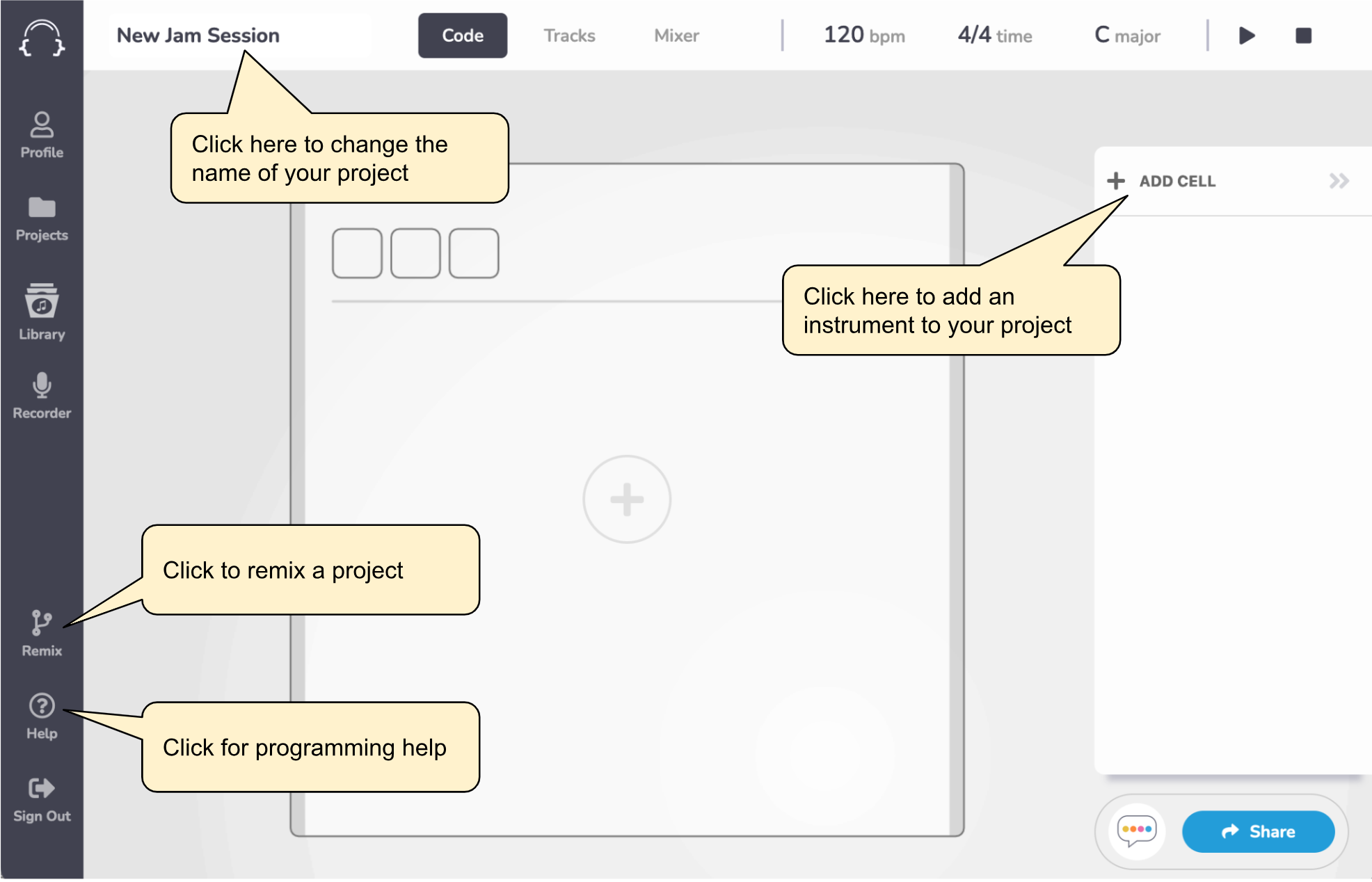
Click on the New Project button to create an empty project. It should look like the picture below.
Step 3: Kick Drums
- In your project, click on the ADD CELL button
- Then select Drums.
- In TunePad, a “cell” is an instrument that you can program to play music.
- Name the new instrument “Kicks” and then add this Python code.
playNote(0)
playNote(0)
playNote(0)
playNote(0)
When you’re done, your project should look something like this:
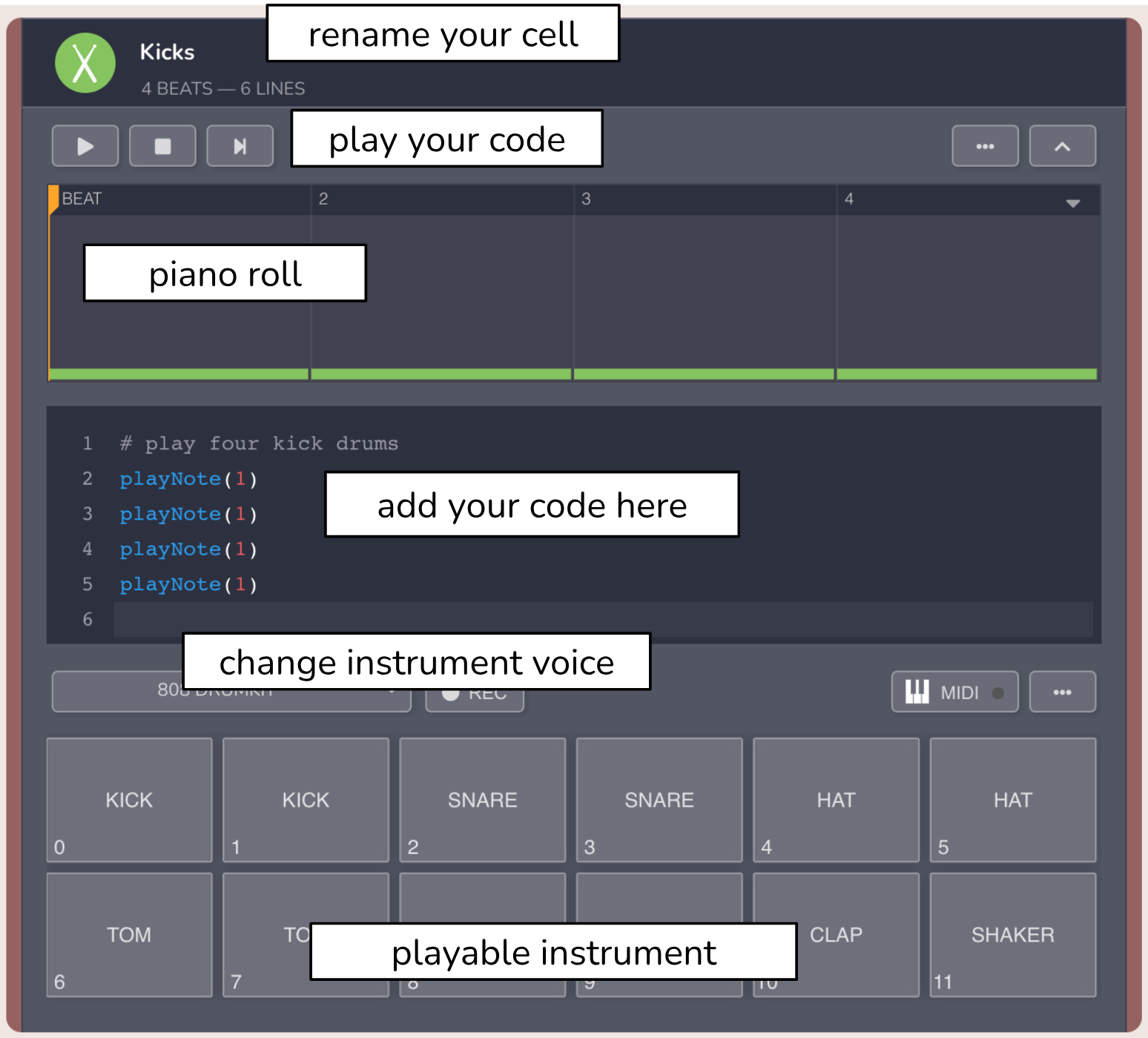
You’ve just written a Python program! Press Play at the top left to hear how this sounds.
Step 4: Snare Drums
- Click the ADD CELL button again and select Drums.
- Now you should have two drum cells, one appearing above the other in your project.
- Name the second cell “Snare Drums” and add this Python code.
- Try playing this cell while also playing the kick drums at the same time. In TunePad all cells will synchronize together.
# play two snare drums on the up beats only
rest(1)       # skip a beat
playNote(2)   # play a snare drum sound
rest(1)
playNote(2)
The text that comes after the hashtag symbol (#) is called a comment, and it’s for human coders to help document their code. Anything that comes after the hashtag on a line is ignored by Python.
Step 5: Hi-Hats
- Click ADD CELL again to add a third drum cell.
- Change the title of this cell to “Hats” and add this code:
# play four hats between the kicks and snares
rest(0.5)                  # rest for half a beat
playNote(4, beats=0.5)     # play a hat for half a beat
rest(0.5)
playNote(4, beats=0.5)
rest(0.5)
playNote(4, beats=0.5)
rest(0.5)
playNote(4, beats=0.5)
Try playing all three of the drum cells together. You should hear a basic House beat pattern:
KICK - HAT - SNARE - HAT - KICK - HAT - SNARE - HAT
Step 6: Bass Line
- Add a new cell to your project, but this time select Bass instead of Drums.
- Next add this code:
playNote(21, beats = 4)
playNote(24, beats = 4)
playNote(23, beats = 4)
playNote(22, beats = 3)
playNote(22, beats = 1)
Try it in TunePad
Open this project in TunePad https://tunepad.com/project/67934